I realize that Loebolus sounds like a rather bad SyFy channel horror movie, maybe something about a zombie classics scholar terrorizing Harvard. Loebolusis actually a very cool project from Ryan Baumann which collects all 277 of the downloadable Loeb Classics on a single page. You can download any individual volume or the whole set in a single 3.2 GB file. In May 2022 Ryan updated the page a little, and I have updated this post (Originally published in 2012!)
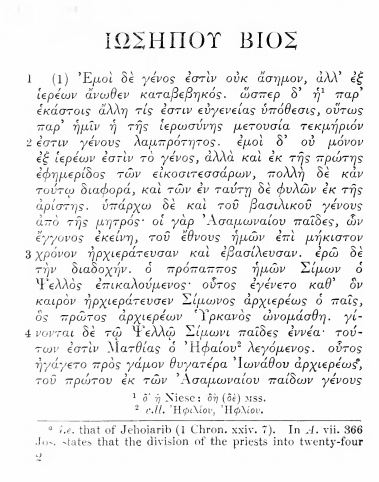
Ed Donnelly has most of this information on his dosnLOEBables site, along with links to ABE or Amazon to purchase the actual books. But Loebolus gets you directly to the PDF without entering captcha codes. I downloaded two files as a trial, both were scanned so that each page is a separate image, Greek and English alternate. I sent Josephus’ Life to my Kindle App on my iPad for easy reading.
This is a goldmine of Classical texts in Greek and Latin, all now in the Public Domain. All of these books are available from a variety of sources, including Logos (See my comments on the Perseus Collection from Logos here) and archive.org.But I find Loebolus to be a very elegant, simple site to use that has exactly what I want.
For biblical studies, the works of Josephus are available. While I realize that Josephus is commonly reprinted, these PDF files will also give you the Greek text and an abundance of information via footnotes. Strabo’s Geography, Herodotus, Xenophon, Plutarch are all there. I am also fond of Thucydides, Peloponnesian War (all four volumes are available).
The Loeb Library is a collection of Greek and Latin classical sources. These small books have the Greek or Latin on the left side, and an English translation on the right. Some of the volumes have been replaced with newer translations. Marital, for example, was recently replaced with a modern, vulgar translation, which more accurately reflects Marital’s original shocking language. (Marital was something of the Lenny Bruce of his day). For many of these books the only English translation available is the Loeb version. I am not sure we need a fresh translation of Theophrastus’ Enquiry into Plants, but other important historical texts have been updated.
Whether you download the whole set or just pick a few of the best, Loebolus is worth checking out.
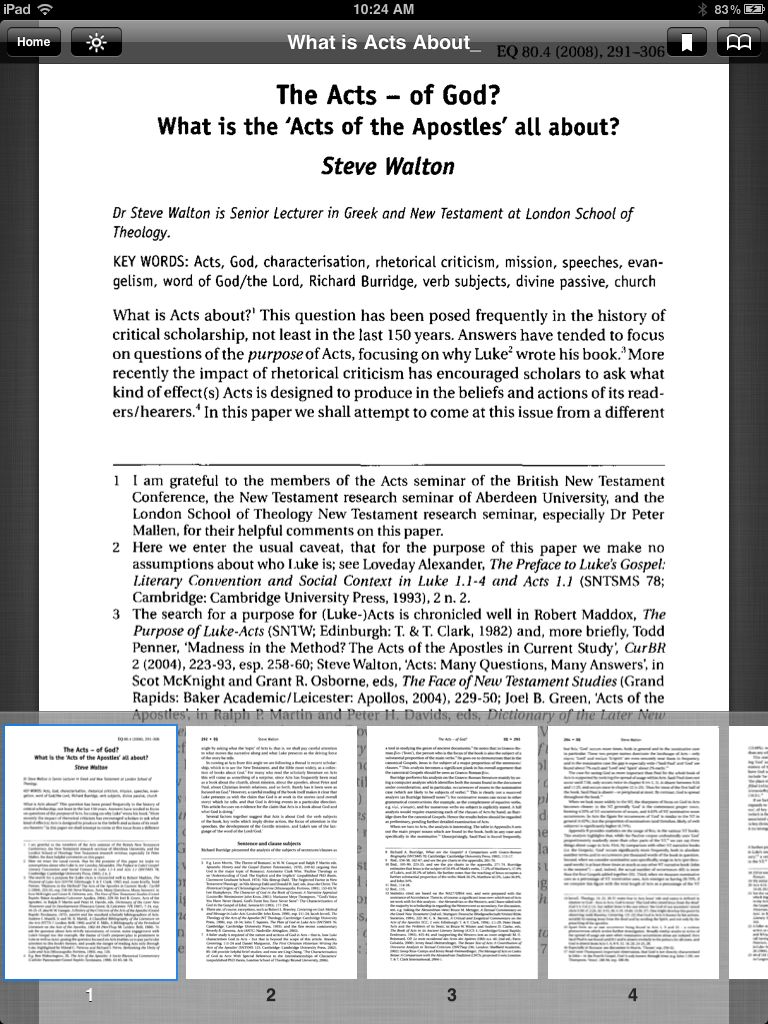
Rob Bradshaw posted two articles of interest to students of the book of Acts at Biblical Studies.org.uk. Steve Walton (London School of Theology) wrote two articles in The Evangelical Quarterly on Acts, both are reproduced by permission of the current copyright holder. You may download the PDF to your own computer for offline reading or send a copy to your Kindle or iPad with the Kindle App. to save these links to your computer, right-click and select “save as.”
Steve Walton, “Primitive Communism in Acts? Does Acts Present the Community of Goods (2:44-45; 4:32-35) as Mistaken?” The Evangelical Quarterly 80.2 (April 2008): 99-111. Some scholars have suggested that Luke has a negative view of the the earliest believers in Jerusalem who “held all things in common.” Since the practice is not mentioned later in the book, is it thought that the practice was given up for a variety of reasons. Walton disagrees with several of the more “negative” views of this common ownership and also draws some distinctions between the practice in Acts and Qumran. In the end he thinks that the question, “does Luke have a negative view of the practice” is wrong-headed, the practice was not a sharing of all property in the first place, and the practice does not disappear later in Acts. Sharing with those in need is in fact a Christian practice everywhere (2 Cor 8:13-15).
If you do not know about BiblicalStudies.org.uk, you ought to at least bookmark their new additions page. Rob Bradshaw provides a vast array of scholarship on both theology and biblical studies.
I have been using my iPad for a little over a year now and it has become an indispensable tool for reading and research. About a year ago I wrote “Top Bible Apps for the iPad” on Reading Acts, and it remains a good starting place for people looking to use their iPad for Biblical Studies. The Bible Apps I review then have all been upgraded over the last year, but the functionality is about the same.
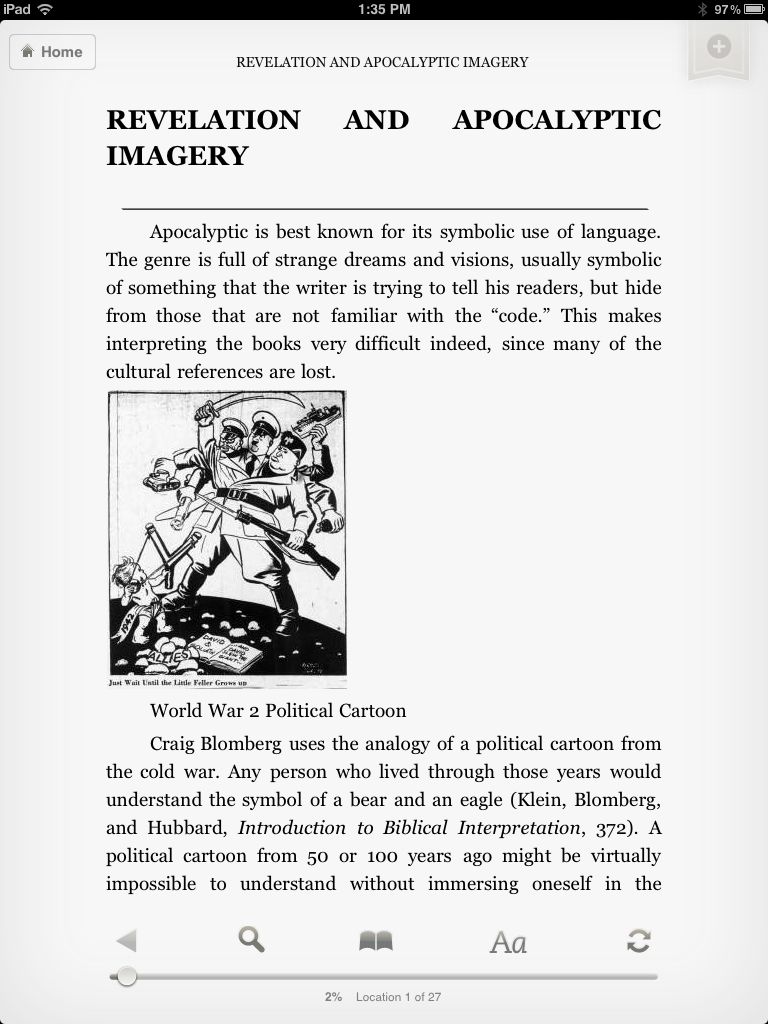
In the last year I find myself using my iPad to read not only books but also journal articles from databases as well as proofing things I have written. Although my experience is on the iPad, these tips will work for an Android device as well. Since much of what I say here concerns the Kindle App on the iPad it is all applicable toa real Kindle device.
The first tool you need to get is the Kindle app from the iTunes store. This is a free download, Amazon gives away the reader to tempt you into buying books. This strategy certainly worked on me since Amazon usually has a “deal of the day.” I have picked up a remarkable number of good books free (or cheap) for reading with the Kindle App. When you register your Kindle app, Amazon will assign you a Kindle email address. You should make a note of this address and authorize your own personal email under the “Manage your Devices” tab in the Kindle store.
The second tool you need is the Send to Kindle app from Amazon (Windows and Mac versions are available). Once you install this app, you can right-click on a file and send it to your Kindle email address. You can send a number of different formats, including PDF and DOC. Assuming that you have authorized your own email, the file will appear on your Kindle, or iPad Kindle App, as a book which can be read as any other Kindle book. If you send a DOC file you can highlight and annotate, but PDF’s cannot be highlighted or annotated at this time.
Reading Acts in Kindle
Another handy tool for reading on a Kindle is a Chrome extension, Send to Kindle. This little extension works in the Chrome browser and will send a web page to your Kindle for reading later. I use this for longer web-pages or to archive a biblioblog that I think I may need later. These HTML pages are converted to a PDF format and can be highlighted or annotated with the Kindle.
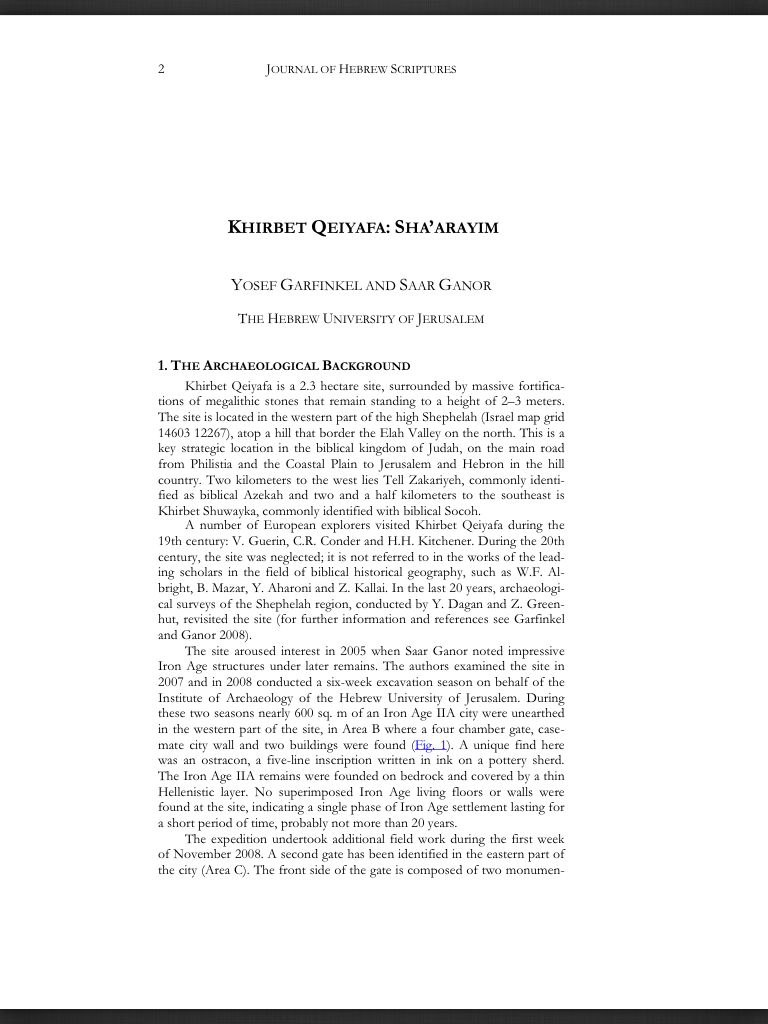
I use my iPad for most often for reading journal articles. Using the ATLA database through our library, I find an article of interest and send the PDF to my email. I can either copy it to my DropBox or send it to my Kindle as described above. Prior to buying an iPad, I either read the article online, or printed it for future reference. Anyone who has written a dissertation knows that you end up with a small forest of printed papers when researching, by reading on my iPad I save some time and money by not printing out articles. I sometimes send several articles on a topic to my Kindle app and head off to a coffee shop. Naturally this method will work with any online database that allows students to save files for offline reading.
There are other readers available, including Google Books, CloudReader, Bluefire Reader, Stanza and (of course) iBooks, but my preference at this point is the Kindle reader. All of these readers are really front-ends for online book stores and they all have nearly the same functionality. If you want to transfer PDF files to one of these other readers, I recommend using DropBox. Copy the PDF to your DropBox folder, then select it on your device, and choose a program from the “open with” menu. Alternatively, you can copy the files using iTunes.
I should mention that the Bluefire Reader allows you to read DRM-protected Adobe Digital documents. This is necessary for reading galley proofs from publishers from services like NetGalley. If you have an Adobe ID, you can authorize Bluefire to read your secure books.
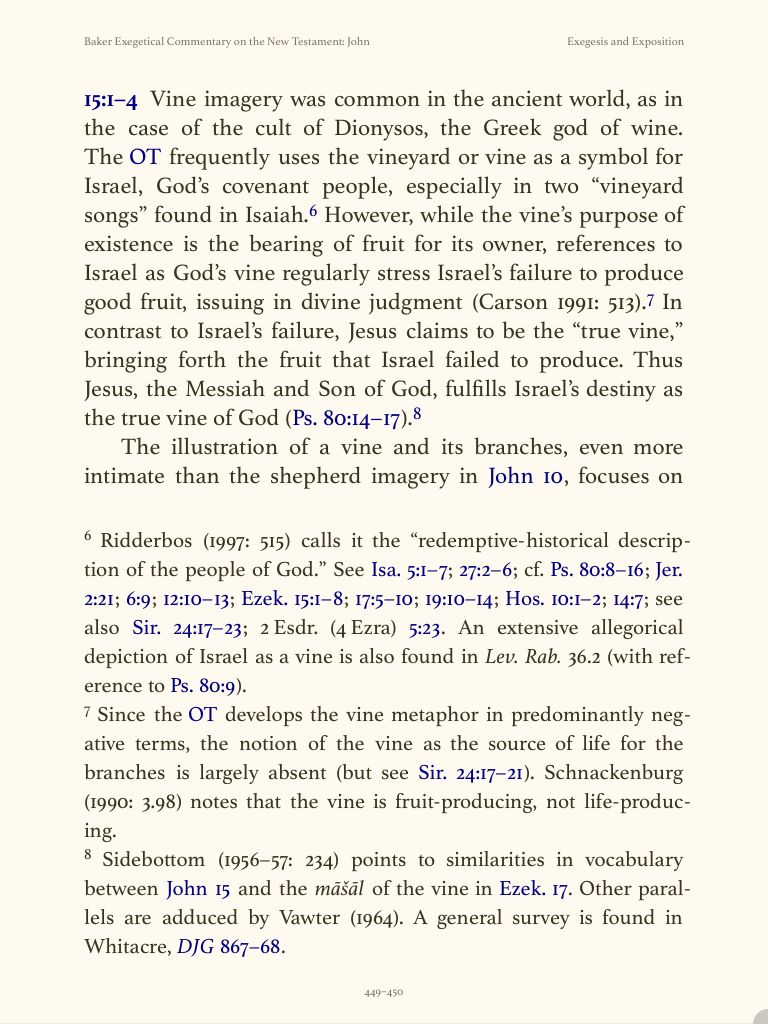
Kostenberger in Logos, with Notes
I use the Logos Bible App daily. It is the best app for reading books, although the books must be purchased through the Logos or Vyrso store. There is no import function for Kindle books or other e-reader formats at this time. While this seems like a negative, the Logos Library is rich in material for biblical studies. If a book is available in Logos and Kindle, I will always choose Logos version. This is primarily because Logos books have real page numbers (not “locations”) and the footnotes appear at the bottom of the page you are currently reading. Logos has an excellent note-taking system with a wide variety of highlighting features. Notes I make on my iPad are automatically saved online, and they are immediately available on my desktop version of Logos. I have several notes files for various topics (Gospel of John, for example), and as I read I add highlights and annotations. I can cut and paste these notes into my word processor when I am reading to write.
These tools will get you reading on your iPad, in the next installment, I will comment on a few note-taking programs for the iPad.
In the last two parts of this series I said that to use Logos, Accordance, or Olive Tree to their full potential, you have to spend some money to buy quality books. For some people that is enough to turn the off of these Apps. I have students tell me how impoverished they are and that they could not possibly buy a Logos collection or an Accordance bundle (usually while texting someone on their iPhone). Maybe you are just out for a bargain (I haunt used book stores hoping to find a treasure in the stacks!) Perhaps you are like me and cannot resist the lure of an old book but get frustrated with the high prices on “collectible” books.
For these reasons I will finish out this series on using the iPad for biblical studies with a look at free books. Free books are often worth what you pay for them, but there are some real gems available for free. Many of these books cannot be purchased or are very expensive. Most libraries do not see the value in shelving 125 year old journals, so the only chance to see some of these books is via Google or some similar source. For example, I have enjoyed reading early numbers in the Palestine Exploration Society’s Quarterly Report. These descriptions of the state of archaeology in Palestine and Jerusalem in the late nineteenth century are fascinating!
Google Books. Google Books is a free App which is a front-end for the Google Books Store. There are commercial books in the Good Book Store, but it is worth poking around for the out-of-print free books. Unfortunately the tagging of free books is terrible. For example, search on “Jesus and the Gospels,” change the price to “free” and several hundred titles will appear. Some of these make sense (Jesus and the Gospels by James Denney, Hodder and Stoughton, 1908), but Bibliotheca Sacra 30 (1873) and Calvin’s Institutes also appear in the list. Still, there are some classics available for free: David Strauss’s A New Life Of Jesus (1865) is there as is Ernst Renan’s The Life of Jesus (1866), Plummer’s Commentary on John (1896), and Godet’s Commentary on Luke(1881). I happened to choose Jesus and the Gospels, any topic will yield hundreds of books. It might be better to search on an author’s name. For example, Albert Schweitzer yields several pages of books, but by clicking on the name reduces the list to 18 items, including both English and German versions of The Quest.
You can read these books with the free Google Books app. I have had no problem reading, although there is no way to search the older books since they are page-scans. There is no note-taking feature, but I can switch to a notebook program fairly quickly. I would like the option to leave books “in the cloud” since I tend to binge on free old books and fill up my iPad quickly. You can shop the Google Book Store on your desktop computer, whatever you “purchase” will appear in the Google Books App.
Kindle. If you have an iPad, you need to get the free Kindle App. The Kindle Store is a part of Amazon, so if you can find books on Amazon, you can find them at the Kindle store. There are some deals to be had in the Kindle store, but not as many free books as Google. For example, The Quest for the Historical Jesus is free at Google, but at the Kindle store only modern reprints are available. Ernst Renen’s Life of Jesusis a free download, but neither the Plummer or Godet commentary found on Google books appears in the Kindle Store. More often than not, older books appear in the Kindle store at a small price. I noticed Alfred Edersheim’s Life and Times of Jesus the Messiah for 99 cents. Most of Edersheim’s works are on Kindle for the same price, yet they also appear on the Internet Archive in Kindle format for free. Most (if not all) of Edersheim’s books are in the Google Bookstore for free. There are several “publishers” who appear to be converting public domain PDF files into Kindle books and selling them very cheap on Amazon. A few are described as “enhanced” since a table of contents has been added to aid navigation, but otherwise the text is identical. Given the phone-book size of Edersheim’s books, it might be worth a few dollars to have the index.
Internet Archive. I almost put this resource first since it is perhaps the largest collection of free texts on the Internet. Most texts are available in PDF and Kindle format as well as several other e-reader formats. I recommend you use DropBox, copy the PDF files there and then read them in CloudReader (Free, App Store) or Good Reader ($4.99, App Store). There are some real gems on the Internet Archive. For example, Mark Goodacre’s The Synoptic Problemis a first rate book, published in 2001 and recent released to the Internet Archive for free download in PDF or Kindle format. (You should go and download this book regardless of the platform you use to read it!) Notice that there is a topic link for synoptic problem and Q hypothesis. Click the “synoptic problem” to find 10 other books, including Ernest DeWitt Burton’s Some Principles of Literary Criticism (1903). Search for the Journal of Biblical Literature, quite a few of the earliest numbers are available.
The Internet Archive is not a reader, you will need to know how to move the files to a place where your iPad can read them, and then have the right app to read the file. Occasionally a PDF will not display on my iPad because of the way it was created. If it loads on your desktop, you need to re-save it with Acrobat and make sure the JPEG 2000 option is not selected. Another drawback is sheer wealth of material. Some items are scanned well, others are shoddy. Since the Internet Archive is an open-source and supports the creative commons, there are some oddities. I have found that occasionally books are linked to the Google Store, but this is not really a problem.
The bottom line is that you can fill your iPod (Android, Kindle) with hundreds of books, many of which are classics of scholarship albeit from a previous dispensation. I have found many books which I have never read simply because I could not find an affordable copy – that can no longer be an excuse! Since it is a great deal of fun poking around and finding rare books in these collections, I think that I will add a semi-regular feature on this blog highlighting the best “finds” in the online archives.
I recently bought an iPad and have had a chance to explore some of the apps available for biblical studies. If you search on “Bible” in the Apple App Store, you will get 942 iPad apps and another 2466 for the iPhone! This is a bit overwhelming, so I will try to narrow the field a bit and comment on some of the apps I have used. In part one I will focus on Readers, in part two I will focus on “other” apps which might be useful for biblical studies.
To a large extent, people who want to use their iPad for Bible study are really looking to read books, so this list is mostly book Apps. Most of these apps have similar features with respect to searching, highlighting, note-taking, etc. The big difference is availability of new books and the price of those books. Amazon and Logos are the clear leaders for book availability, Amazon can sell books for much less than the smaller competitors. For example, the ESV Study Bible is available for $39.95 in Logos and Olive Tree Bible Reader 5. Kindle has the ESV Study Bible heavily discounted, it is only $9.99. The Holman Bible Atlas is $29.95 at Logos, $24.99 with Olive Tree, but only 16.48 in the Kindle store. I will point out that Logos has frequent sales which reduce the list price considerably and their “pre-sale” program is a great way to buy new books at a discount.
Logos. This is by far the best Bible App for the iPad primarily because of the number of resources available.
Logos for iPad
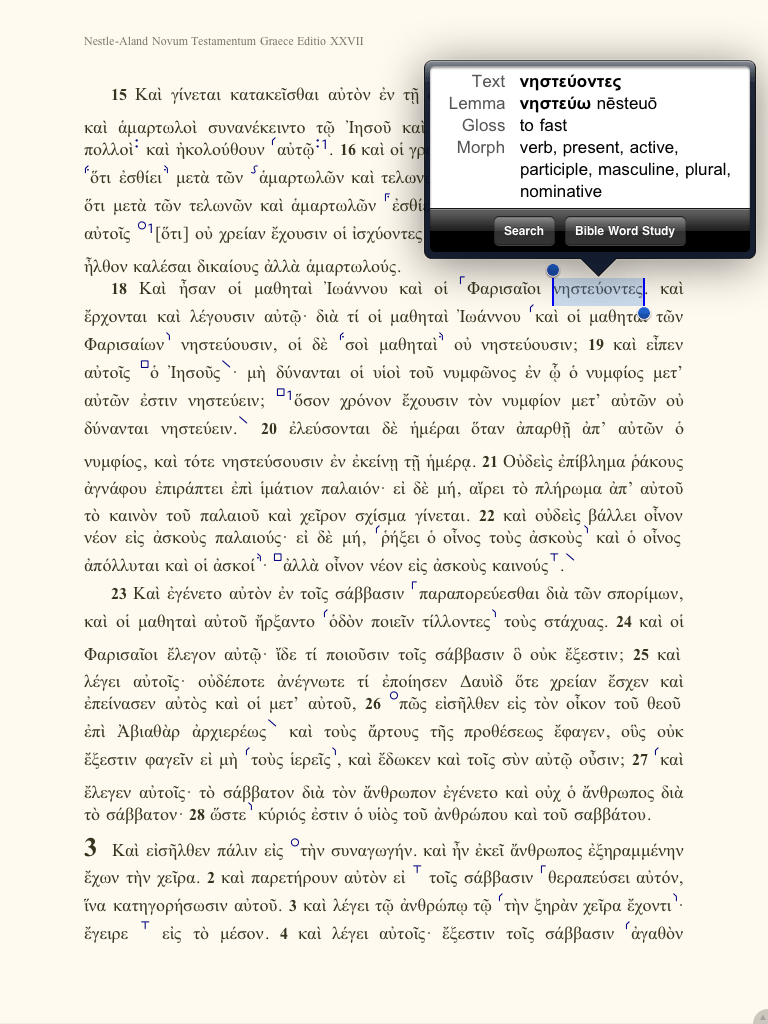
In addition, Logos is the clear leader for studying in Greek and Hebrew on the iPad. Language resources are excellent in Logos, although for the best resources you will have to invest money in the library. For example, when you select a Greek word you are given the option to “look up” the word. This provides a brief gloss and the form is parsed. From this tab you can search for the word in the Greek New Testament or do a “word study.” This is a stripped down version of the desktop Logos Word Study. Since I own BDAG already, I am able to look Greek words up in this standard reference. If you have not purchase BDAG, then you will have to use another resource. The text of BDAG is identical to the printed version, all biblical references are tagged so that selecting a linked text opens a floating window with the text cited and the option to open the text in a full Bible. As in the desktop Logos version, all abbreviations are linked; selecting one will open a floating window identifying the appreciation.
A major selling point for me is integration of the desktop version of Logos with the iPad App. For the most part, the books you own are stored “in the cloud” and the are available on the iPad or your desktop. There are some exceptions: The Hebrew-Aramaic Lexicon on the Old Testament is not available on the iPad. I have been a longtime user of the Theological Journals library from Galaxie Software and I am thrilled that all of the journals in that collection are available on my iPad. Logos recently released a collection of Journal of Biblical Literature, 26 years of one of the finest journals for biblical studies (1981-2006) are now available on my iPad. That is nearly 20,000 pages of fully searchable scholarship!
Logos is not perfect. Highlighting and note taking is not yet implemented and occasionally the program crashes. This is likely due to running multiple apps, so I usually shutdown other apps before spending time in Logos. These problems will be addressed in future versions. (An Andriod version of the Logos App is in beta. This review applies to version 1.3.7). (UPDATE: Logos 2.0 includes notes, highlighting, and stability).
Vyrso. Also published by Logos, this app is virtually the same program as Logos, but does not have the original language features. You can still read your Logos books, but links to lexicons are not included. Vyrso is designed to read books sold through the Vyrso store, which is not quite online yet. When it is fully launched, the site will focus on Christian literature. Vyrso is more or less the Christian Bookstore of the Internet. With the number of books Logos already has, the Vyrso store will open with a major library of books, many of which are not available in Kindle or iBooks. I have already reviewed Vyrso and pointed out that the App is not designed to work with biblical languages. You may read a Greek Bible, but there are no resources for looking up lexical forms or doing any kind of morphological search. (This review applies to version 1.01).
Olive Tree
Olive Tree Bible Reader 5. Olive Tree has been producing free and low-cost Bible software for years. Their Bible Reader app is a solid Bible reader with some excellent features. When you download the app you have a choice between the American Standard and the KJV, but in-App store has a large selection of books for purchase. Many of the free books are quite familiar since they are out of copyright resources (Jamison, Faussett and Brown’s Commentary for example). I was pleased to see many excellent scholarly resources in their store. For example, they sell BDAG, the standard Greek Lexicon, for $159. The App will link to Greek text this lexicon the same as Logos. There are a number of other excellent lexicons (Louw and Nida, LEH) as well as word study resources such as TDNT and EDNT.
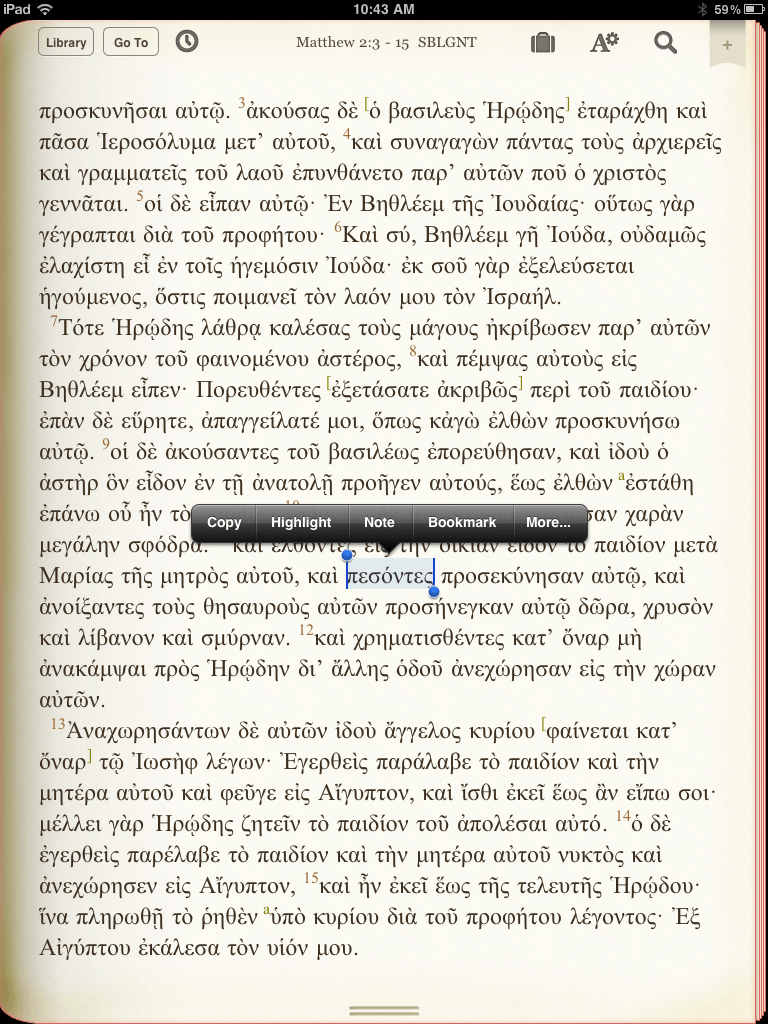
The reading page is clear and customizable. Select a word or phrase and the menu offers to copy, highlight, add a note, bookmark or search for the word in the rest of the Bible. Bible Reader can also search Bible dictionaries in their library as well. Opening a note adds a floating window designed to look like a sheet of notebooks paper similar to the NotePad app. This notepad can be expanded to the full screen. The title is customizable and the heading includes the date created and last date modified. Tags may be added for faster searching and notes may be saved to categories.
I downloaded the free SBL Greek New Testament and found the text attractive and easy to read, although I did not purchase a lexicon to test the linking. There are problems searching the Greek Bible since there is no way to search on the lexical form of a word, only the form as it appears. This is the same problem as Vyrso, the App is not designed for Biblical languages. (This review applies to version 5.00.04)
Blue Letter Bible
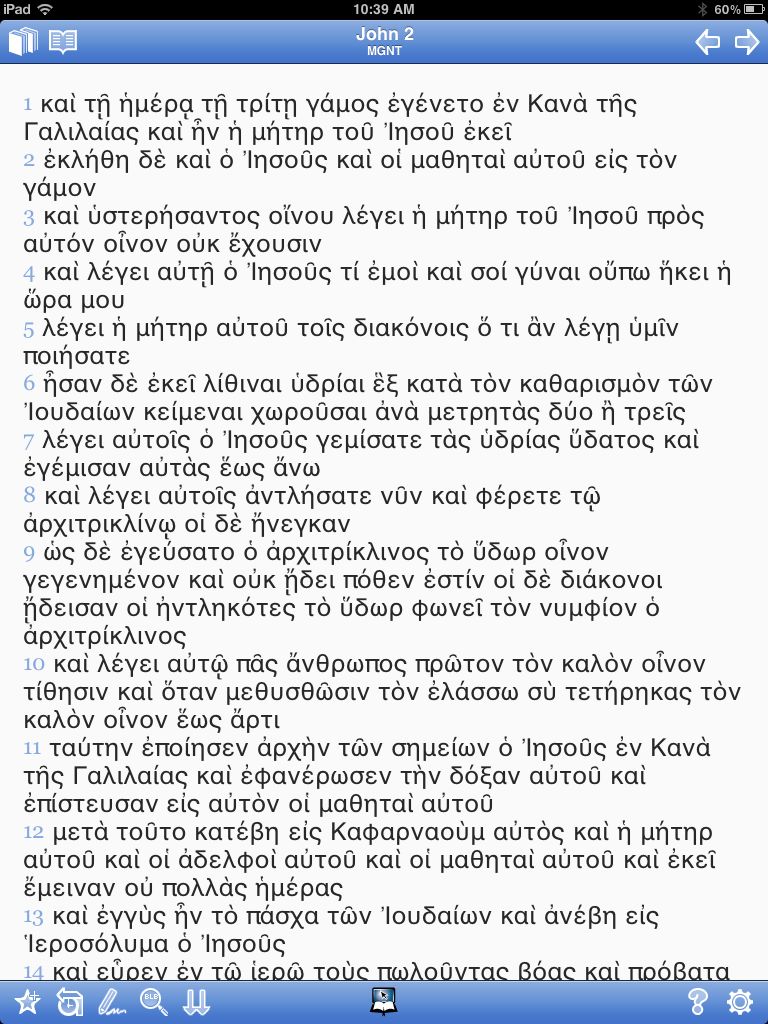
Blue Letter Bible. This is another veteran of online Bibles. The App is not as appealing as others in this list and the reader is designed for reading Bibles. The ASV, KJV and NET are included along with the Treasury of Scripture Knowledge, other Bibles are only available online. Greek and Hebrew texts are available as well as LXX and Vulgate. The Morpological Greek uses an unusual font, and individual words cannot be highlight, selecting a word selects the whole line. The Westminster Leningrad Codex and found the text rather small (although this can be adjusted), and words cannot be selected. The app offers a number of additional resources, all freely distributable. For example, on John 1 I selected “available commentaries” and found a few of the usual older commentaries as well as Chuck Smith, Ray Steadman, J. Vernon McGee (in English or Spanish), and a few others. Unique to the BLB is the inclusion of audio in the commentary sections. Selecting a sermon by Chuck Smith opens a player inside BLB (rather than iTunes). This particular file was almost an hour and a half long. (This review applies to version 1.07).
Kindle. The Kindle App on the iPad is an excellent book reader. Since most of the readers are similar, what sets Kindle apart is the availability of books through the Amazon store. There are hundreds of free or inexpensive books, many of which may be useful for biblical studies. I have already mentioned that Kindle books tend to be less expensive than the retail price at the Logos store, but there is a huge selection books which are in the public domain and priced for almost nothing. For example, the Babylonian Talmud is available for 95 cents, although it is the 1903 translation by Rodkinson. (Hint: search the kindle store for the word Samizdat, many of books are taken from Internet Sacred Text Archive and “kindle-ized. It might be worth a dollar to avoid making the conversion yourself.) Not all the bargains are public domain. I notice popular books like Donald Miller’s Blue Like Jazz and Norman Geisler’s I Don’t Have Enough Faith to be an Atheist are only $1.99 each. Prices like these are hard to beat.
I get a bit frustrated with the categories in the Kindle store. For example, under “Christianity” there are Bibles, John Piper, the Velveteen Rabbit, and the Book of Mormon. This is simple a matter of bad tagging and perhaps one of the reasons the Vyrso Store will be the choice for Christians, less wading through off topic books to find what you want. (This review applies to version 2.7).
In the next installment, I will evaluate some other resources for biblical scholarship using an iPad.
You must be logged in to post a comment.