After a long wait, the Logos iPad app has finally added the NIV Bible. Until today, this was one of the major resources restricted on the iPad App. This update includes the newest iteration of the New International Version, the NIV 2010. The NIV 2010 on the iPad includes cross-references as notes and parallel pericopes where applicable. This is extremely handy in the Gospels, but I notice a few in the Pauline letters as well. I must admit that the long wait has made me more of an ESV fan, but it is good to have a old familiar translation available on the iPad.
If you have an iPad or Android, you should definitely check out the free Logos App. Books purchased from Logos or Vyrso will appear in your library whether you are using the desktop version of Logos or the iPad / Android version.
I accessed the site using Windows 7 and Firefox 6.x. The Greek text is displayed quickly and it is readable, using the SBL Greek font. (I always thought that font looked like it was in italics.) Since this is a Unicode font I copied and pasted text into Word without any difficulty. The default font is Calibri (Body), but could I change the text to SBL if necessary. To me, the Times Roman font is the best looking Greek. Hebrew pasted into Word with as Ariel, which is not a very good rendering of Hebrew. I changed the font to the Times Roman Unicode font and it looked fine and all vowels and accents.
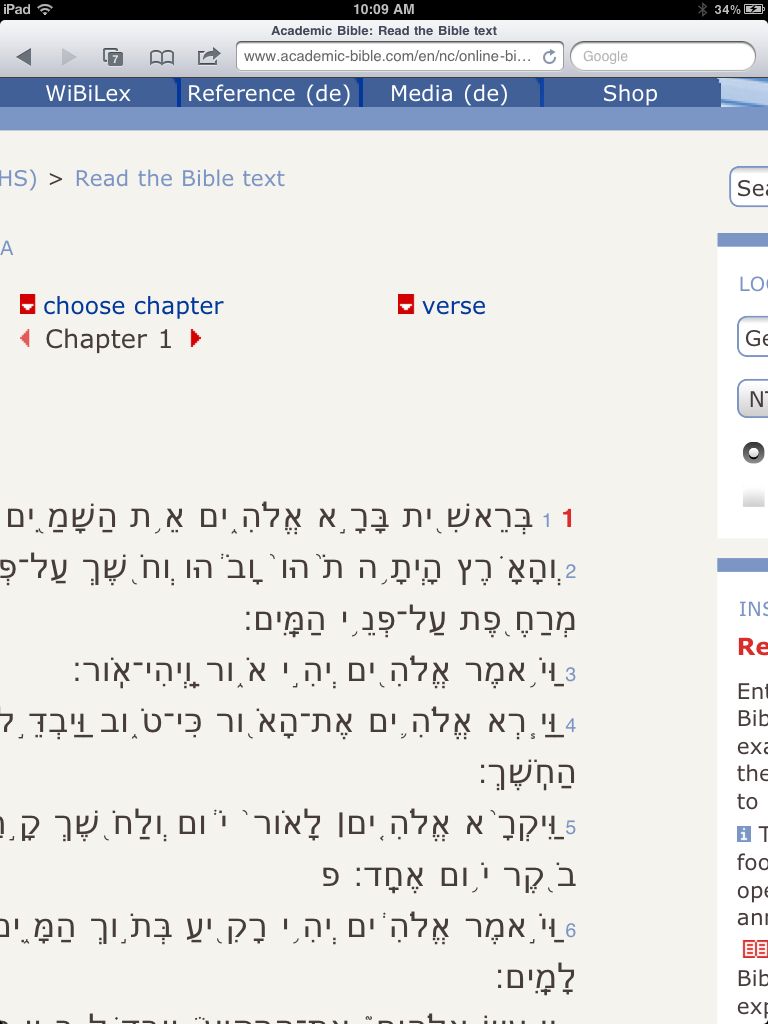
I tested the site on my iPad using Safari. The Greek is readable, although I am not thrilled with the iPad’s font for Greek. It has accents and breathing marks, but I just do not like reading the “square font. I need to zoom in a bit on just the text for reading, but that is not a problem. I copied a sample bit of Greek text and paste it into Evernote without any problems. The Hebrew font in Safari is terrible. It is blocky and does not seem to handle all of the characters correctly. There are spaces within words, etc. I copied a verse and pasted into Evernote, and the text was formatted properly.
These criticisms a problem only on the iPad, not the German Bible Society website. I cannot see any way to change the default font on the iPad version of Safari, so the use of the Hebrew text is limited. Has anyone tested this site on an Android? Perhaps the fonts are better, I would like to hear from you.
By creating an account, a user can search these texts. Sign up is free, but I could not get the registration page in English. I guess my Reading German class finally came in handy! I tried several times to get the search to work, but was unable to use the feature. I tried changing to a Greek Keyboard, searched for logos, log*, etc. Each time I received no hits.
If you do not have access to a Greek or Hebrew Bible via Logos or Olive Tree, check out the Bible Society’s web page. This is a very handy site for students who need access to a word or phrase for a paper but have not yet invested in Bible Software.
Just a quick before I leave for California. I saw a tweet from Crossway with news that the ESV Bible App for the iPad has been upgraded to take advantage of iOS 4. This is one of the nicer Bible apps for the iPad, although I happen to like the ESV translation so I am likely prejudiced. Here’s a link to the App Store.
Meanwhile I am speaking at West Coast Grace Youth Camp, Mt. Palomar, California. I always have a great time there. If they have upgraded the wifi since last year I should post a few updates.
 After a long wait, the Logos iPad app has finally added the NIV Bible. Until today, this was one of the major resources restricted on the iPad App. This update includes the newest iteration of the New International Version, the NIV 2010. The NIV 2010 on the iPad includes cross-references as notes and parallel pericopes where applicable. This is extremely handy in the Gospels, but I notice a few in the Pauline letters as well. I must admit that the long wait has made me more of an ESV fan, but it is good to have a old familiar translation available on the iPad.